🤖 Project Overview
Document Processing
Uploaded and processed documents in Google Cloud Storage for intelligent data retrieval
Data Store Integration
Created a comprehensive data store from uploaded documents for contextual responses
Conversational AI
Built with Google Cloud Dialogflow for natural language understanding and responses
🚀 Implementation Process
Step 1: Google Cloud Setup
Created a new Google Cloud project and enabled the Dialogflow API and Conversational Agents service. Set up the necessary permissions and service accounts for seamless integration.

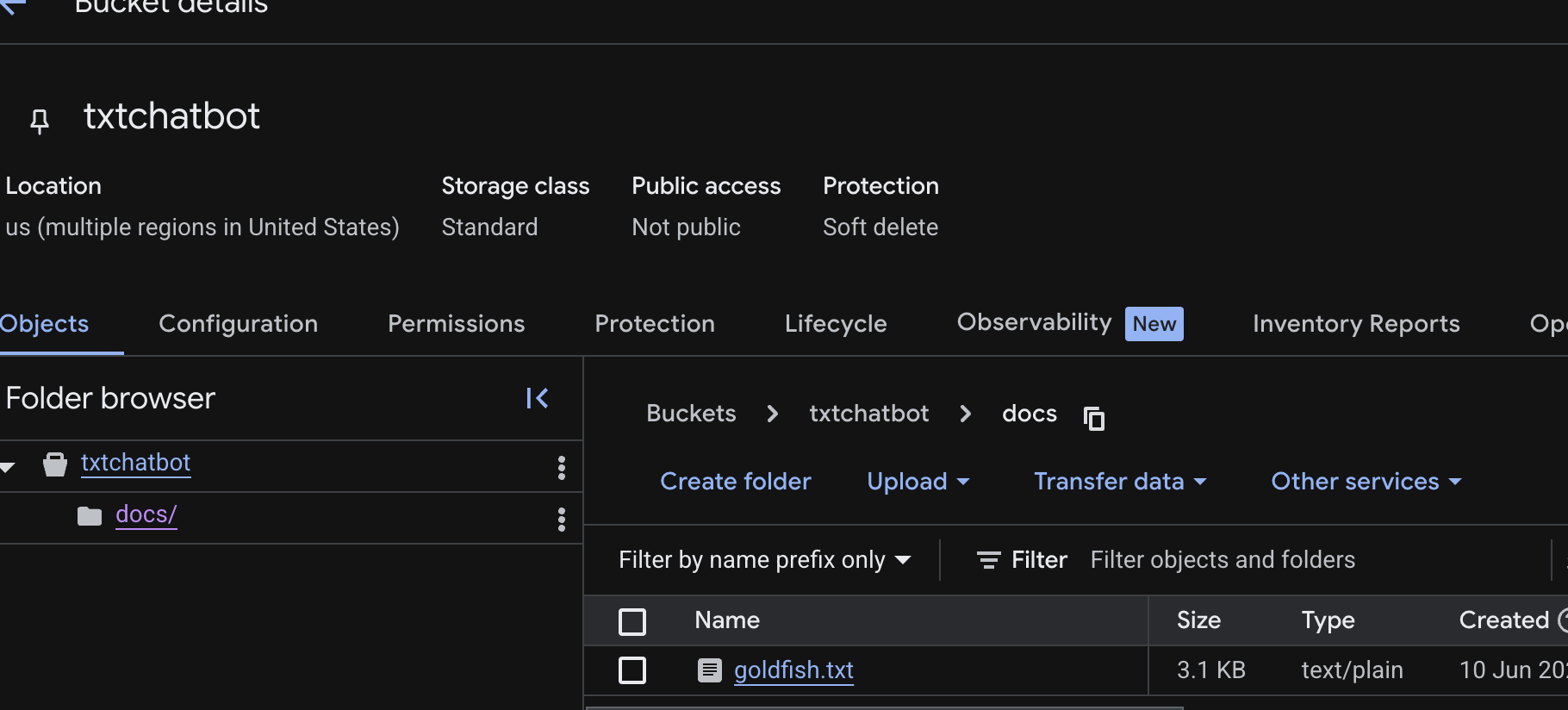
Step 2: Document Upload to Cloud Storage
Uploaded the source document to Google Cloud Storage bucket. This document serves as the knowledge base for our chatbot to provide accurate and contextual responses.
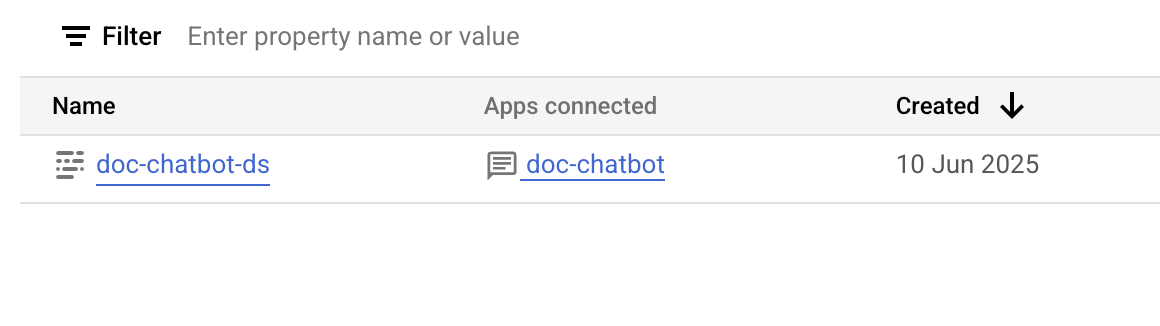
Step 3: Data Store Creation
Created a data store using the uploaded document. This enables the AI to search through and reference the document content when responding to user queries.
Step 4: Dialogflow Agent Configuration
Set up the Dialogflow agent with the data store integration. Configured the agent to use the document-based knowledge for generating responses.
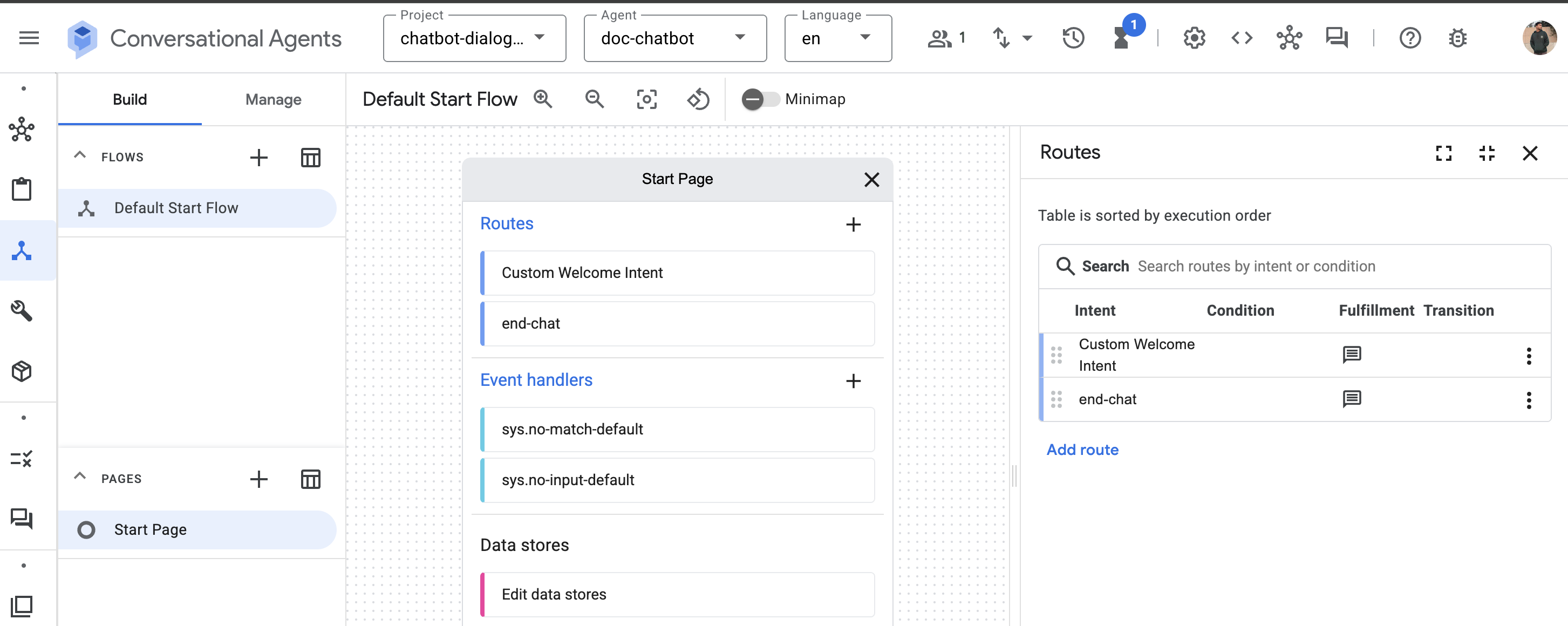
Step 5: Custom Intents Implementation
Added custom welcome and end conversation intents to provide a natural conversational flow. These intents handle greeting users and properly concluding conversations.
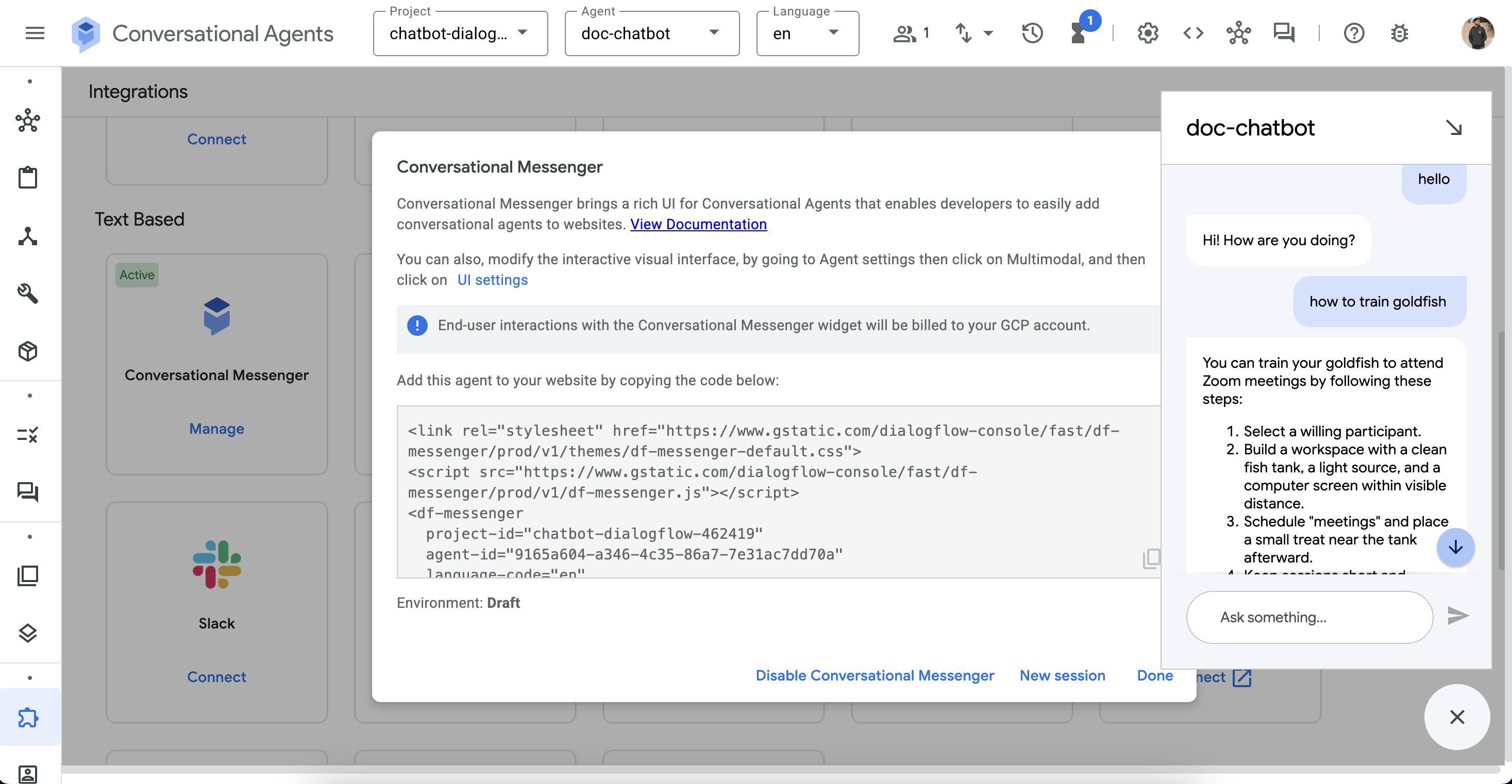
Step 6: Testing and Integration
Thoroughly tested the chatbot functionality and integrated it into this web interface using the Dialogflow Messenger component.
📋 Source Document Content
Below is the content of the document that powers our chatbot's knowledge base. The AI uses this information to provide accurate responses to user queries.
🐟 How to Train Your Goldfish to Attend Zoom Meetings
A lighthearted guide for overachievers with aquatic friends
Introduction
In a world where remote work dominates and video calls are the norm,
we often forget about our loyal companions behind the glass — our
goldfish. If you've ever felt guilty for leaving your scaly friend
out of your daily routine, worry no more. This is your step-by-step
guide to making your goldfish a productive member of your virtual
team.
Step-by-Step Guide
Step 1: Select a Willing Participant
Look for signs of enthusiasm in your goldfish:
- Swift swimming when you enter the room
- Bubbling at the surface (not to be confused with begging for food)
- Mild interest in screens
Step 2: Build the Workspace
You'll need:
- A clean, clear fish tank
- A small desk lamp or ring light for dramatic lighting
- A computer screen within visible distance
- Optional: A background plant for aesthetic value
Position your fish tank so the camera captures your fish in its most contemplative state.
Step 3: Schedule "Meetings"
Goldfish thrive on routine. Set a daily time to turn on a video call
and place a small treat near the tank afterward. Positive
reinforcement works wonders (though the fish may just be responding
to snacks).
Step 4: Teach Webcam Presence
Goldfish have short attention spans. Keep sessions short and
visually stimulating. Consider showing them slideshows of underwater
landscapes or a slow-moving lava lamp.
Step 5: Encourage Interaction
Try gentle tapping (once!) to get their attention. Use your voice
during meetings so they start recognizing your tone. Some owners
claim their fish swim closer to the screen when hearing familiar
voices — this is probably coincidence, but it's adorable.
🤔 Frequently Asked Questions
Q: Can fish actually recognize people on screen?
A: Research suggests some fish can distinguish faces, especially
when trained. So… maybe!
Q: Is this harmful to the fish?
A: As long as you don't over-stimulate them with bright lights or
loud sounds, no. Keep sessions short, volume low, and avoid sudden
movements.
Q: What's the point of this?
A: Mostly fun. Some bonding. And hey — your fish gets more mental
stimulation than usual, and you get a morale boost.
Q: Can I bring my fish to real meetings?
A: Absolutely. Whether people will take you seriously is another
matter.
🐠 Tips for Success
- Give your fish a fancy title like "Chief Hydration Officer"
- Keep meetings short (under 5 minutes)
- Use a small whiteboard to "take notes" on their behalf
- Don't forget to feed them afterward — no one likes unpaid interns
Closing Thoughts
While your fish might not contribute much to strategy discussions,
they'll be the most calming presence in any virtual meeting. In a
remote world full of stress and noise, your aquatic assistant brings
just the right amount of peace, curiosity, and comic relief.
— End of document —
💬 Try the Chatbot
Click the chat bubble in the bottom right corner to interact with the document-based chatbot. Ask questions related to the content above, and see how the AI provides contextual responses based on the uploaded document.